
Bizman 2.26.0 focuses on improving notifications clarity, time data accuracy, daily UX efficiency, and delivering key upgrades to AI Insights and the Financial Center.
Enhancements & Improvements
Notification Enhancements – Announcements Logic
Logic gaps between Announcements and Notifications have been fully addressed.

What’s included:
- Proper logic flow between Announcements and the Notifications system
- Improved handling of updated announcements that were previously read
- Foundation in place for prioritization and categorization of Announcements
Updated system message:
“An announcement you previously read has been updated. Click here to view the latest changes.”
Fixed Position for “Start Timer” & “Create Task”
The Start New Timer and Create Task buttons are now permanently fixed at the top of the interface.
Impact:
- Faster access to core actions
- Reduced friction in time tracking and task creation
- Improved consistency across long-scroll pages
Export Improvements – Numeric Time Standardization
Time values across exports are now standardized and delivered in numeric formats, making them immediately usable for reporting and analysis.
Supported formats:
- HH:MM:SS (e.g. 00:15:15)
- Decimal hours (e.g. 0.2542)
Applied to:
- Timers → Active Timers (“Time Worked”)
- Timers → Work Logs (“Logged Time”)
- Timers → Attendance (“Time Worked”)
- Management → Validated Hours (“Logged Time”)
- Management → Attendance List (“Time Worked”)
Stats – User Daily View Cleanup
Future dates are now removed from the User Daily Statistics view when no entries exist.
Result:
- Cleaner, more relevant daily insights
- Reduced confusion when reviewing historical performance
Client Reactivation – Auto-disable Grace Period
Reactivated clients now benefit from a 14-day grace period before auto-disable rules apply.
Outcome:
- Prevents immediate re-disablement due to inactivity
- Aligns client behavior with existing user reactivation logic
Hotfixes & Stability Improvements
Worklog Editing After Timer Completion
Editing worklogs after stopping a timer now works consistently across all relevant areas.
Affected sections:
- Management → Validation Hours (Edit & Quick Edit)
- Client Dashboard → Summary Table
- Worklogs → Add, Update, and Merge
- Statistics → By Client
- Timers
One-way Login: Production → Staging
Environment switching has been improved:
- Switching from Production to Staging opens in a new tab
- 2FA is bypassed only when switching via the internal environment selector
- Direct access to Staging continues to require 2FA
Notification Icons Corrected
Icons in the Notifications Panel have been updated:
- Task Activity now displays the Bell icon
- Mentions now display the Conversation Bubble icon
- Applied to both modal and full-page views.
Client Rate Normalization
All clients with a rate of $0 (excluding BOH and Retainer clients) have been updated to the default rate of $10.
This ensures consistent billing logic and cleaner financial reporting.
AI & Advanced Features
AI Insights – Conversational Experience
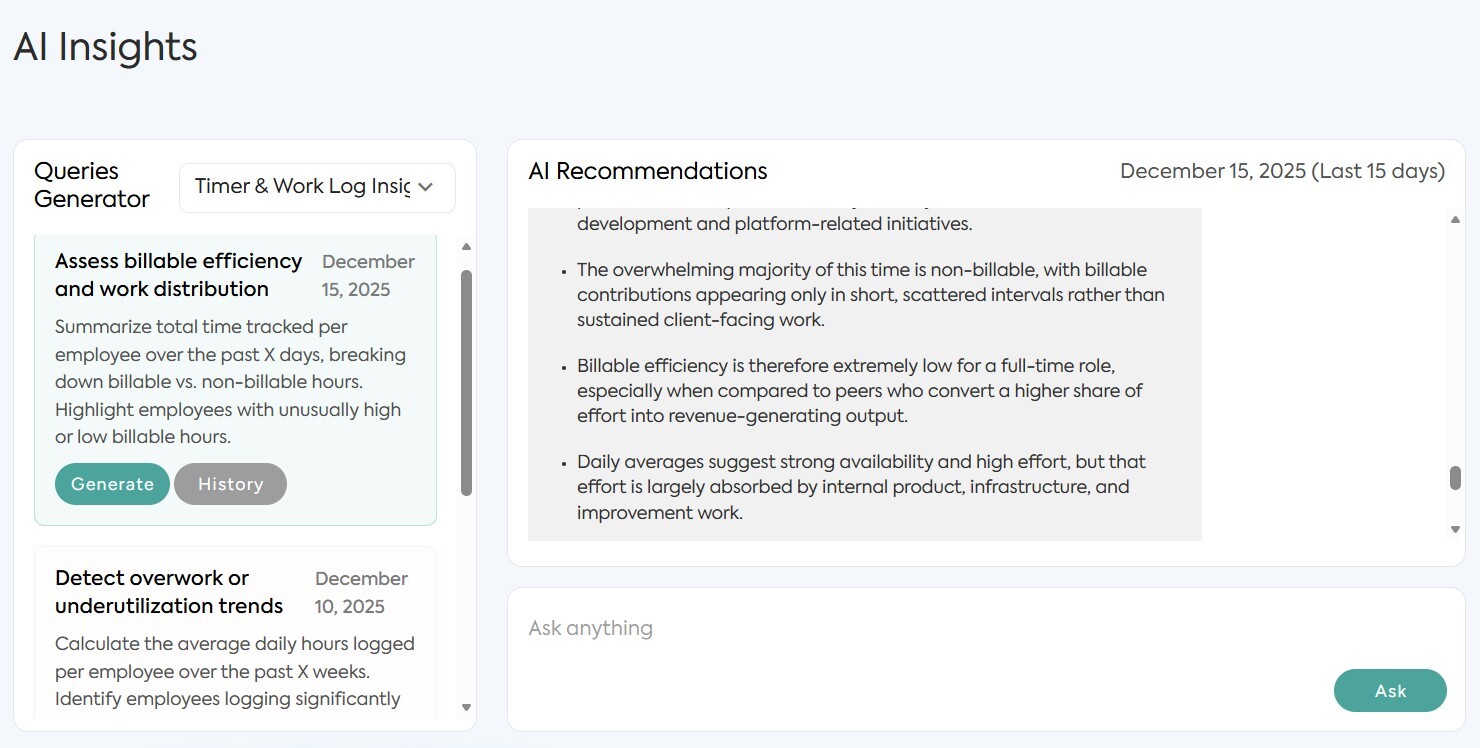
AI Insights now supports interactive, conversational follow-ups.
What’s new:
- Users can ask follow-up questions directly within AI Insights
- A dedicated text input has been added
- Insights now function as an ongoing conversation rather than static outputs
AI Data Masking for Privacy
Client and employee names are now masked before being sent to AI services.
How it works:
- Real names are stored securely within Bizman
- Masked identifiers are used for AI processing
- Improves privacy, compliance, and data security
Financial Center – Phase 1 Delivered
The first phase of the Financial Center has been fully implemented.
Key capabilities:
Hours Utilization
- BOH: Current month usage vs available hours
- PAYG: Usage based on average hours
Month-to-date totals
- Fixed totals for Hours and Revenue at the bottom of the table
Client list behavior
- Default alphabetical sorting
- Non-billable clients displayed at the bottom
- Clients with zero hours included
Revenue display
- Financial values shown in USD ($) instead of hours
-
On this page