
Bizman 2.54.0 improves Bank of Hours notifications, adds usage notifications for Retainer clients, and introduces HIPAA client identification with file security restrictions. Teams can configure client-hour alerts where they manage each client, identify HIPAA clients across Bizman, and apply safeguards to documents attached to those clients.
New Features
Retainer Usage Notifications
Retainer clients now support usage notifications. Previously, Retainer clients did not have these alerts, so teams could miss that a client’s hours were running low or had been used up.
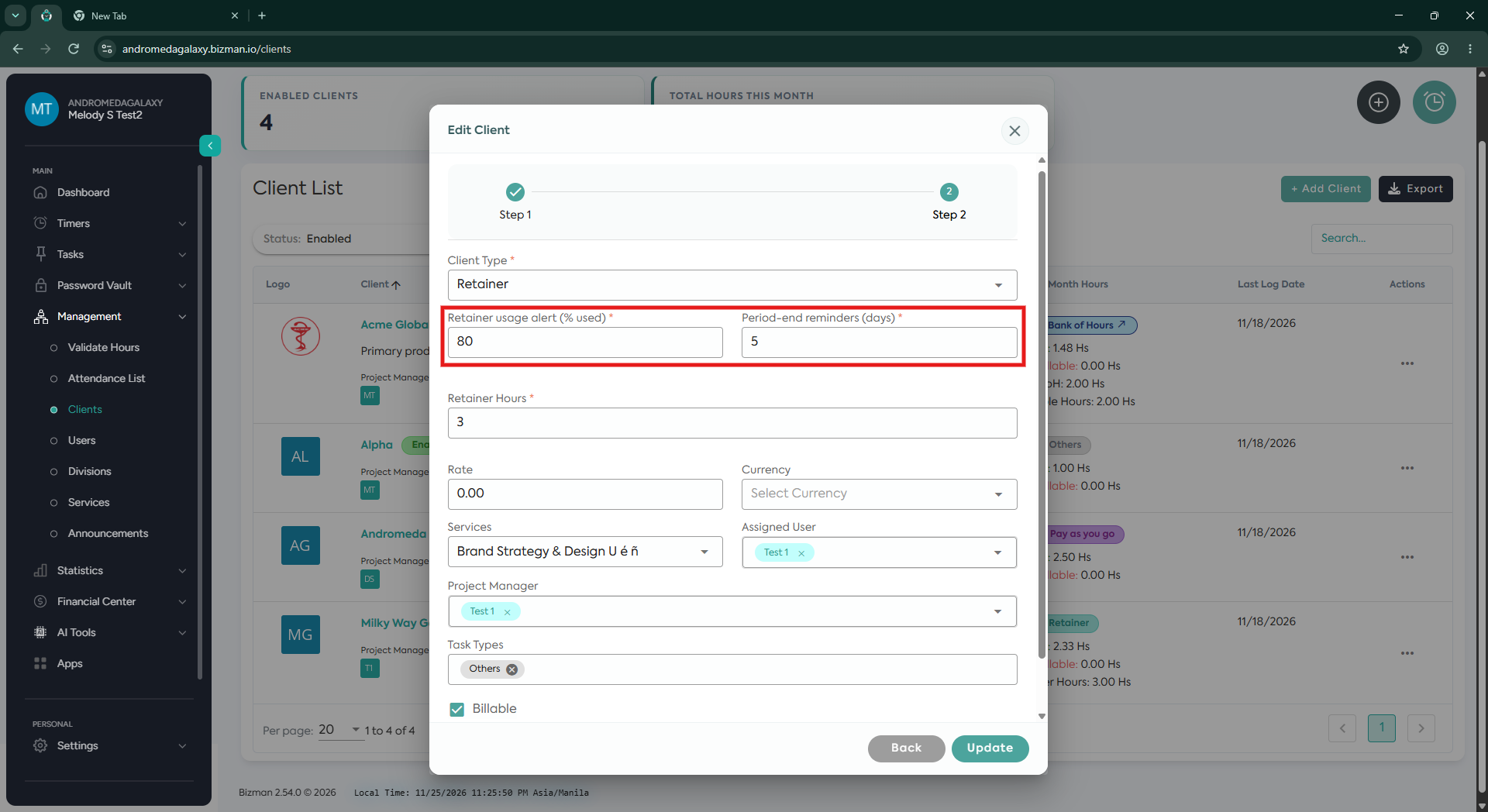
Figure 1. Example of editing the Retainer's notifications thresholds
Notification thresholds and reminder timing can be configured for each Retainer client. Relevant Bank of Hours and Retainer information can also be combined in one email.
HIPAA Client Identification and File Security
Clients can now be marked as HIPAA clients using a checkbox in the Add/Edit Client form.
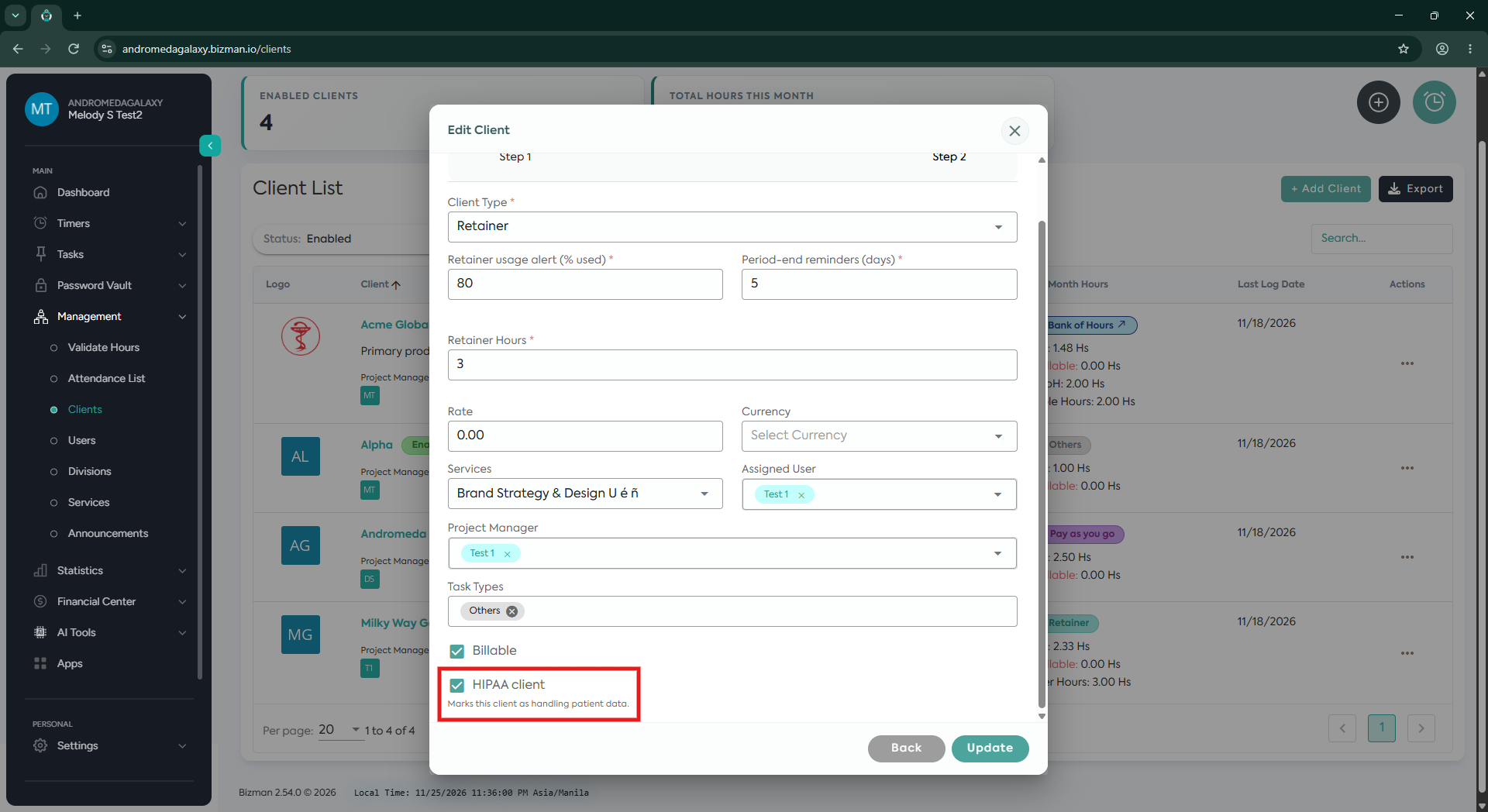
Figure 2. Example of Editing a Client
A HIPAA badge appears in the Client List, Client Profile, and Task List, helping users identify these clients when managing client information and related tasks.
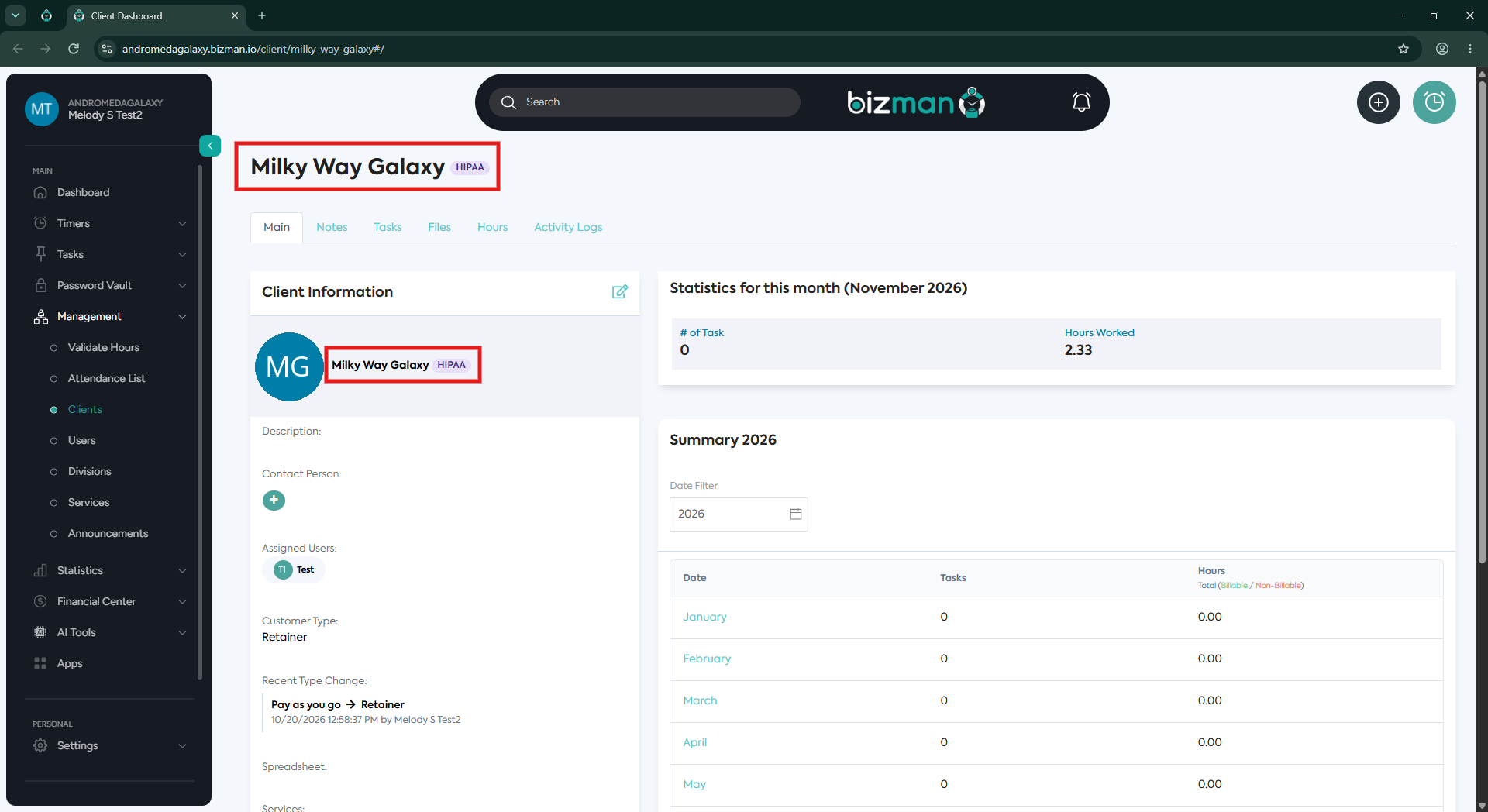
Figure 3. Example of a tagged HIPAA client
Bizman also applies additional file restrictions to HIPAA clients:
- Password-protected PDF, XLS, XLSX, and DOCX files are accepted.
- PDFs with editing restrictions but no password required to open are rejected. Unprotected XLS, XLSX, and DOCX files are also rejected.
- CSV, image, audio, video, and text files are rejected.
- Password-protected files cannot be previewed in Bizman. Users must download the file and open it with the correct password.
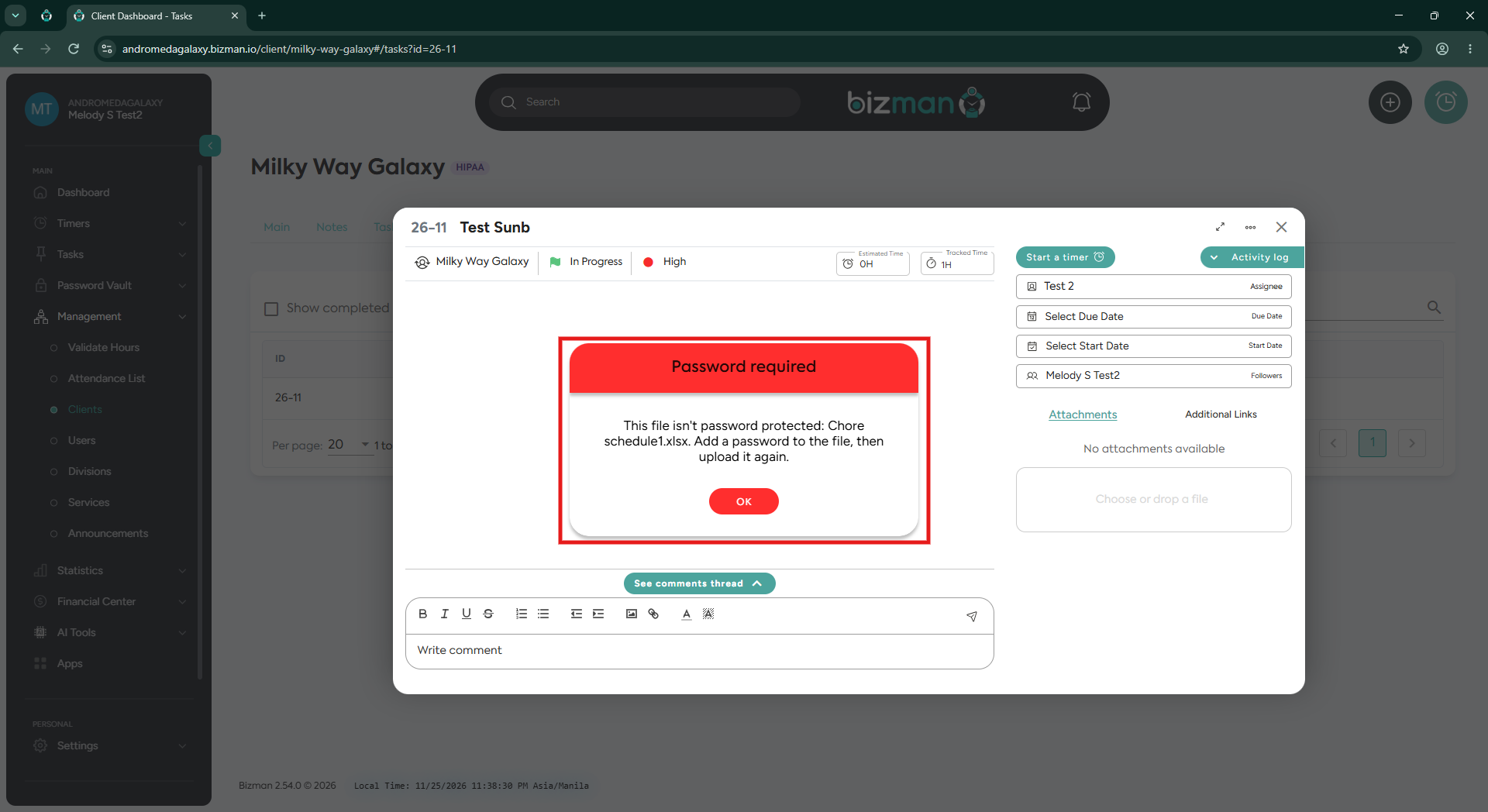
Figure 4. Example of File Rejection
File views and blocked uploads are recorded in the activity log, providing a record of file handling for HIPAA clients. These safeguards help reduce the risk of unauthorized document access and support the privacy and rights of HIPAA clients.
Improvements
Bank of Hours Usage Notifications
Bank of Hours notifications now support client-level configuration. Thresholds are set on each Bank of Hours client instead of through a global setting, so teams can tailor alerts to each client’s usage.
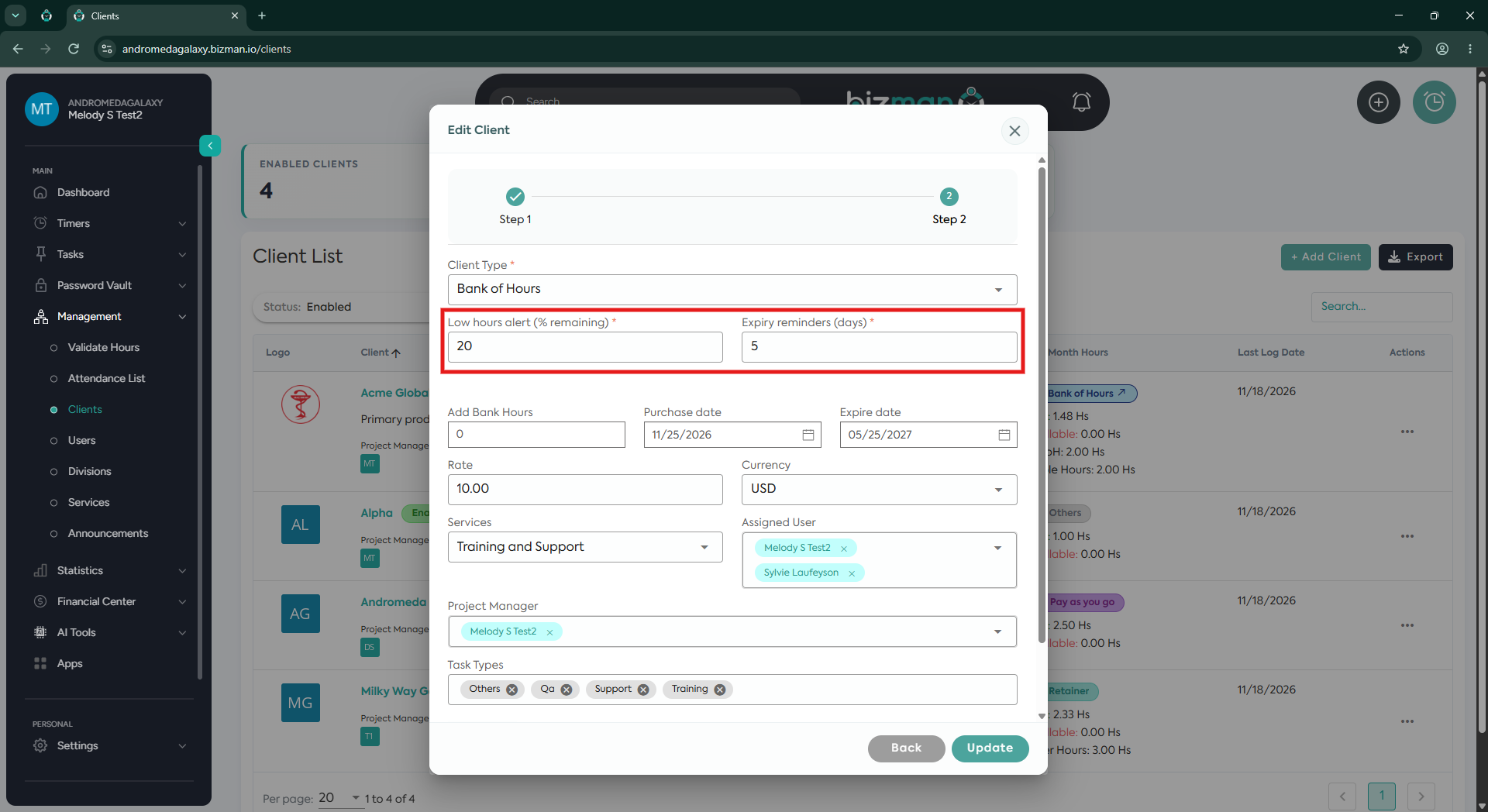
Figure 5. Example of editing the BoH's notifications thresholds
Client settings include a percentage of remaining hours and reminder-day options. For both Bank of Hours and Retainer notifications, emails can be sent to Admins, Project Managers assigned to the client, and Assigned Users. Notification preferences are available under Personal and Admin settings, and users can opt out through Personal → Client Management.
Summary
- Improved Bank of Hours alerts with per-client thresholds, reminder timing, and updated preferences.
- Added Retainer usage alerts with configurable thresholds and consolidated client-hour emails.
- Added HIPAA client tagging, file upload restrictions, password-protected file access, and activity logging.
-
On this page