
Bizman 2.46.0 introduces improved client access, easier Bank of Hours monitoring, integrated access to Bizman applications, registration updates, and several usability and functional fixes across the platform.
New Features
Client Access Role Improvements
Client users can now collaborate more effectively within their permitted workspace. They can:
- Access the Password Vault
- Update task priorities
- Add attachments and links to tasks
- Mention users assigned to their client in task comments
Access remains limited to information associated with their organization or company.
SMT Integration
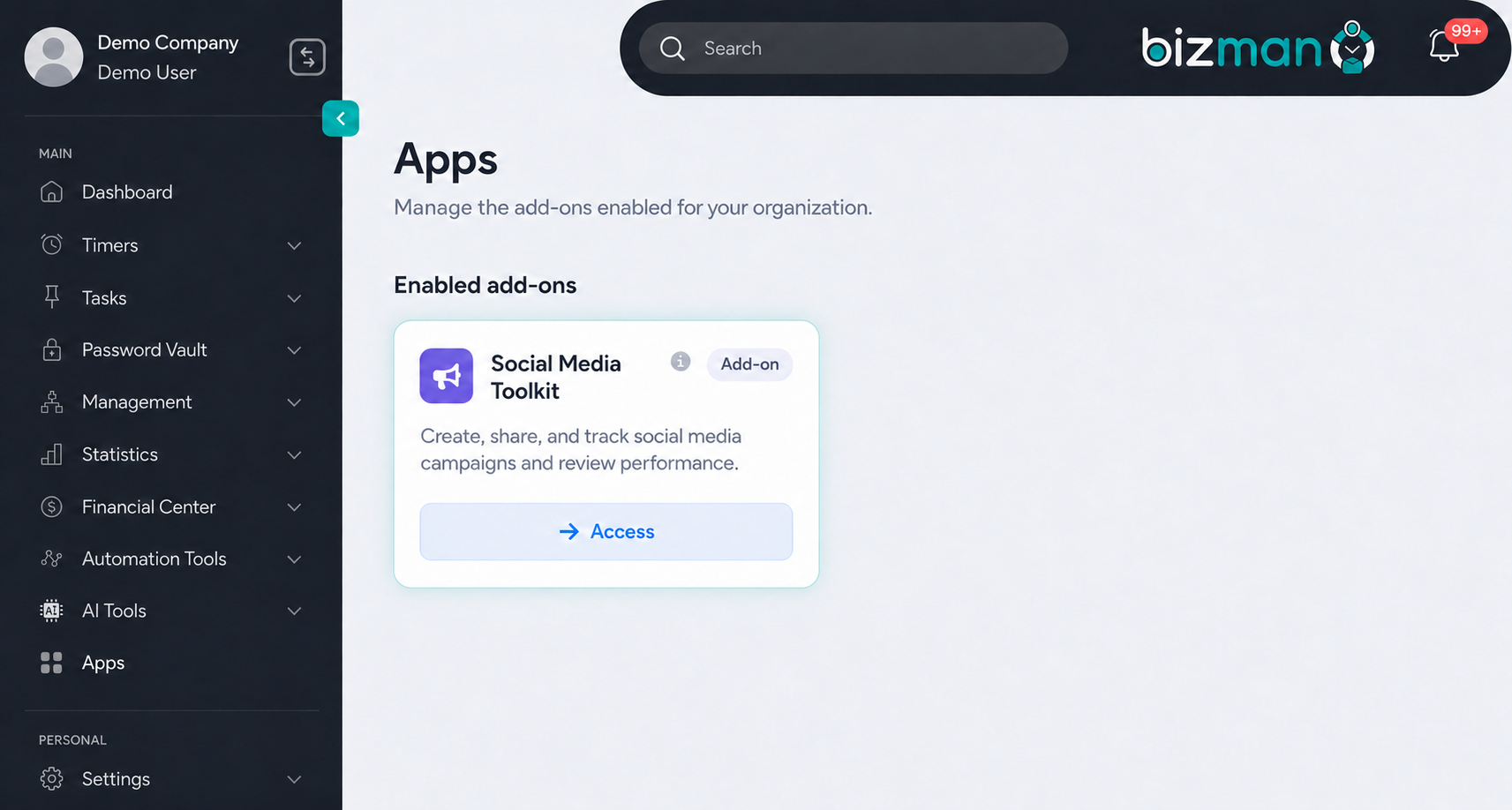
The Social Media Toolkit (SMT) is now accessible from Apps in the Bizman sidebar, giving users a convenient way to open SMT through Bizman while keeping its existing workspace and navigation.
Each Bizman organization can be connected to one SMT account. This is the SMT account associated with the Bizman tenant owner. Users with the Admin role have access by default, while access for other users depends on their assigned permissions.
Low Bank of Hours Alerts for Project Managers
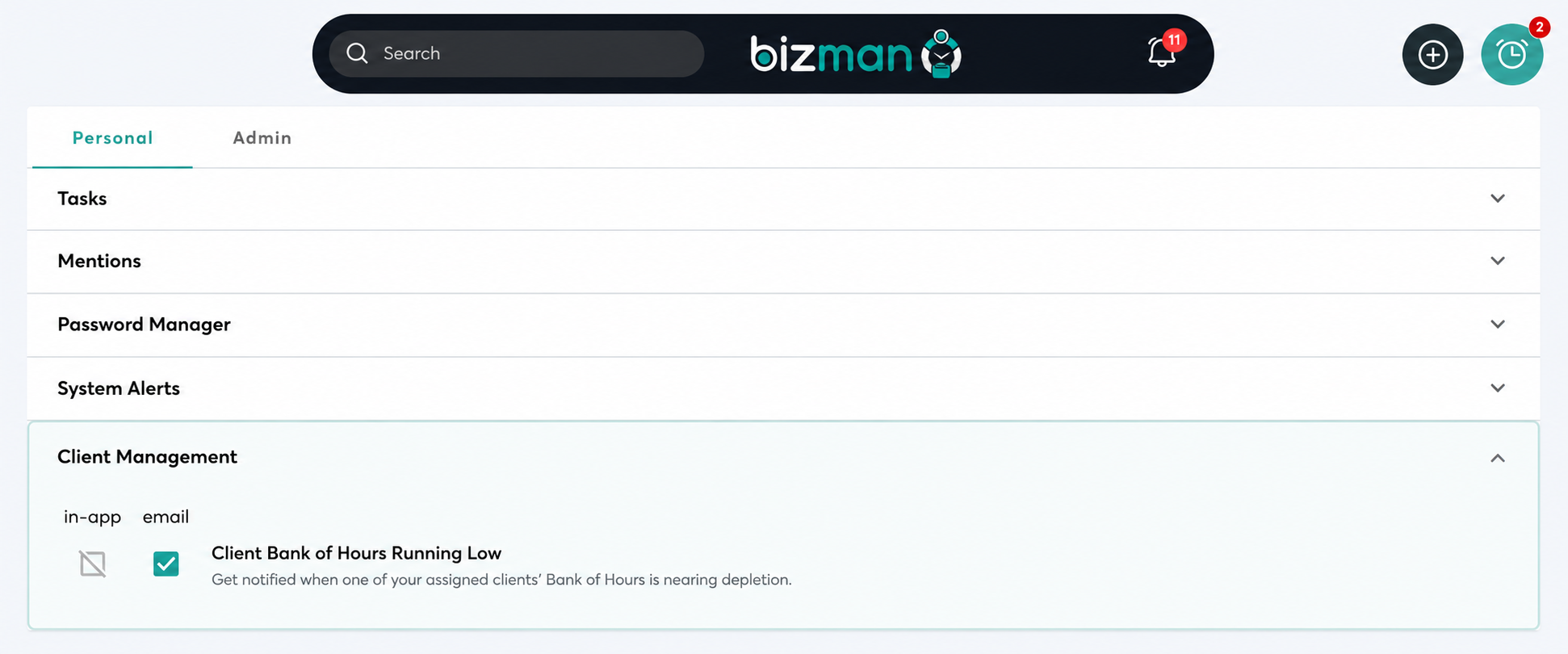
Project Managers can now receive email alerts when the Bank of Hours for one of their assigned clients is running low.
A new notification option is available under Notification Preferences > Personal > Client Management, allowing Project Managers to manage these alerts.
Improvements
Client List Summary
A new summary section has been added above the Client List. It displays key information such as enabled and disabled client totals and total hours for the current month.
The summary automatically updates based on the filters applied to the Client List.
Clearer Bank of Hours Email Notifications
Clients included in the Bank of Hours availability email are now listed alphabetically, making the notification easier to review.
Improved Client Notes
Several usability improvements have been added to Client Notes:
- The Edit action is now easier to find.
- Note images can be resized.
- Images count as one character toward the note limit.
- Tooltips provide clearer guidance.
- Improved the visual indicator showing when a note category contains content.
- Internal and external note visibility has been improved.
The unnecessary Sort Order filter has also been removed from Client Notes.
Bank of Hours Activity Log Updates
The Bank of Hours category in Activity Logs has been renamed to Bank of Hours Activity for added clarity.
A new Date Range filter also allows users to review activity recorded within a selected period.
Settings and Account Security
The Settings area includes several profile and security improvements:
- The unnecessary Location field has been removed from Profile Settings.
- Users can now personalize their account with a profile image.
- The current password must be verified before changing the account password.
- After a successful password change, the user is signed out and redirected to the login page.
New User Sign-Up Improvements
The registration experience now provides clearer instructions and a smoother transition into Bizman.
Updates include:
- Improved registration messaging and interface
- Clearer confirmation and follow-up pop-ups
- An email verification link valid for 24 hours
- Registration protection through CAPTCHA and existing rate limits
- Improved collection of registration information for security and account review
Bug Fixes
This release resolves several UI and functional issues across Bizman, including:
- Fixed Work Logs exports when sorted by client or status.
- Fixed Active Timers exports when sorted by user or client.
- Corrected Attendance times to use the user’s timezone.
- Restored Assignee filter options after returning from a task page.
- Maintained the active Hours tab when navigating Client Dashboard worklogs.
- Reset the Date Worked filter correctly when switching Client Dashboard tabs.
- Corrected alignment on the Divisions page.
- Improved validation when creating or editing services with empty fields.
- Fixed By Client exports when sorted by validated hours.
- Corrected SMS Settings behavior when a change is canceled.
- Allowed administrators to edit worklogs exceeding 24 hours where applicable.
- Standardized timer behavior for deleted tasks.
-
On this page