
Bizman 2.47.0 introduces built-in support, export options for Bizman Assistant, an updated dashboard, improved onboarding, clearer user insights, stronger permission controls, and several usability and reliability improvements across the platform.
New Features
Improved Bizman Support
Bizman Support has been enhanced with smarter AI-powered assistance, helping users find relevant guidance and answers more efficiently.
It is now available directly from the Help & Resources section in the sidebar, with an option to escalate issues when additional support is needed.
Export Data from Bizman Assistant
Users can now export data from Bizman Assistant as a CSV file in two ways:
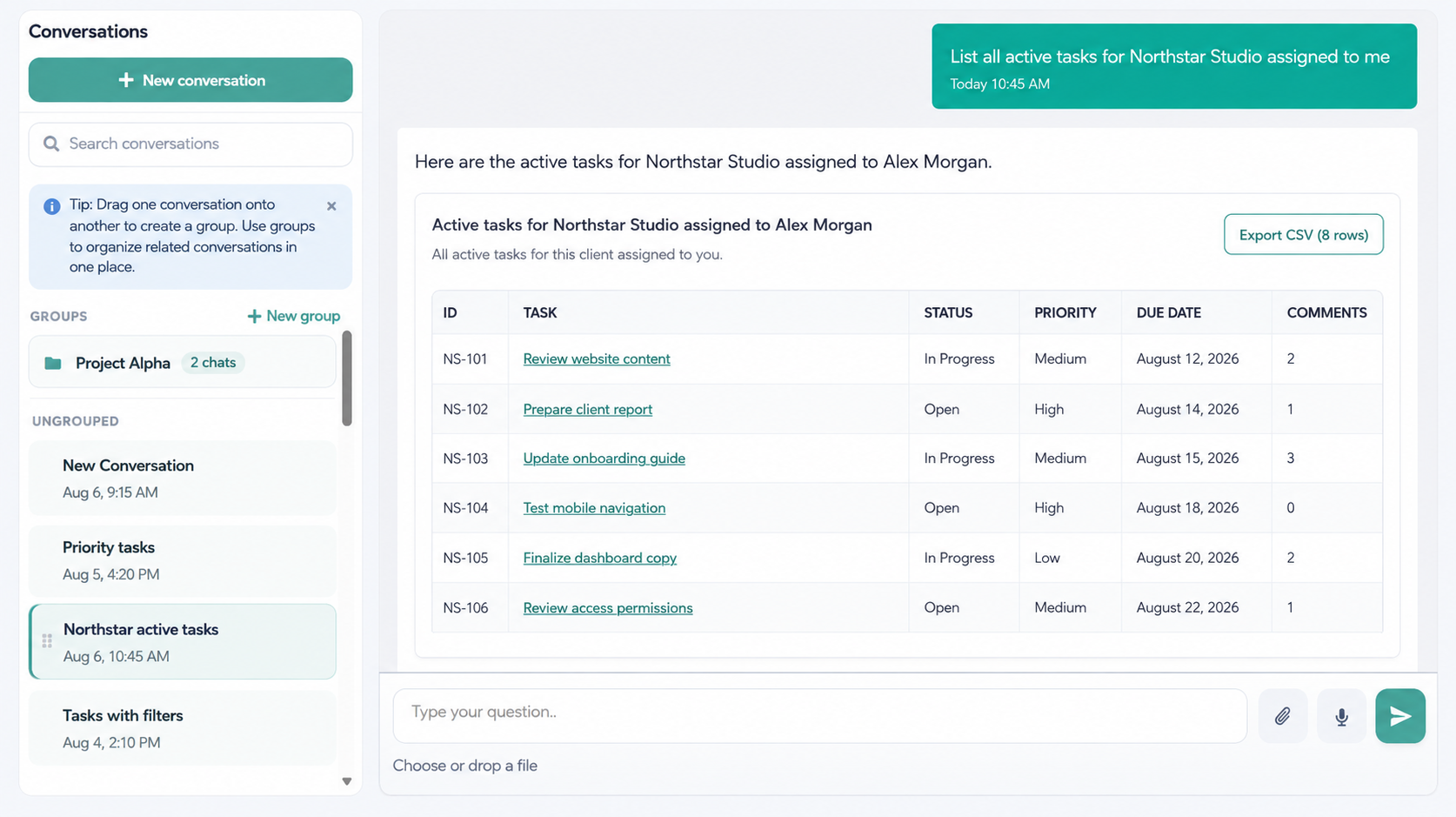
- Export a generated table: When the Assistant displays query results as a table, users can click Export CSV to download the displayed records immediately.
- Request an export through a command: Users can ask the Assistant to export specific data using defined parameters, such as active tasks assigned to them and due today. Bizman will process the request and send a notification with the download link when the file is ready.
This makes it easier to retrieve specific Bizman data and use it for reporting, analysis, or other business processes.
Default Client Added During Onboarding
A default client is now automatically created using the organization’s name during onboarding.
This establishes the required client association from the start, allowing users to create and link tasks, track time, and access client-related features even if they skip the rest of the setup process.
Improvements
User List Summary
A new summary section has been added above the User List, providing a quick overview of user totals and account statuses. The summary automatically updates based on the filters applied to the list.
Improved Onboarding Tutorials
The onboarding pop-up tutorials have been refined to provide clearer instructions and better guidance across key areas of Bizman.
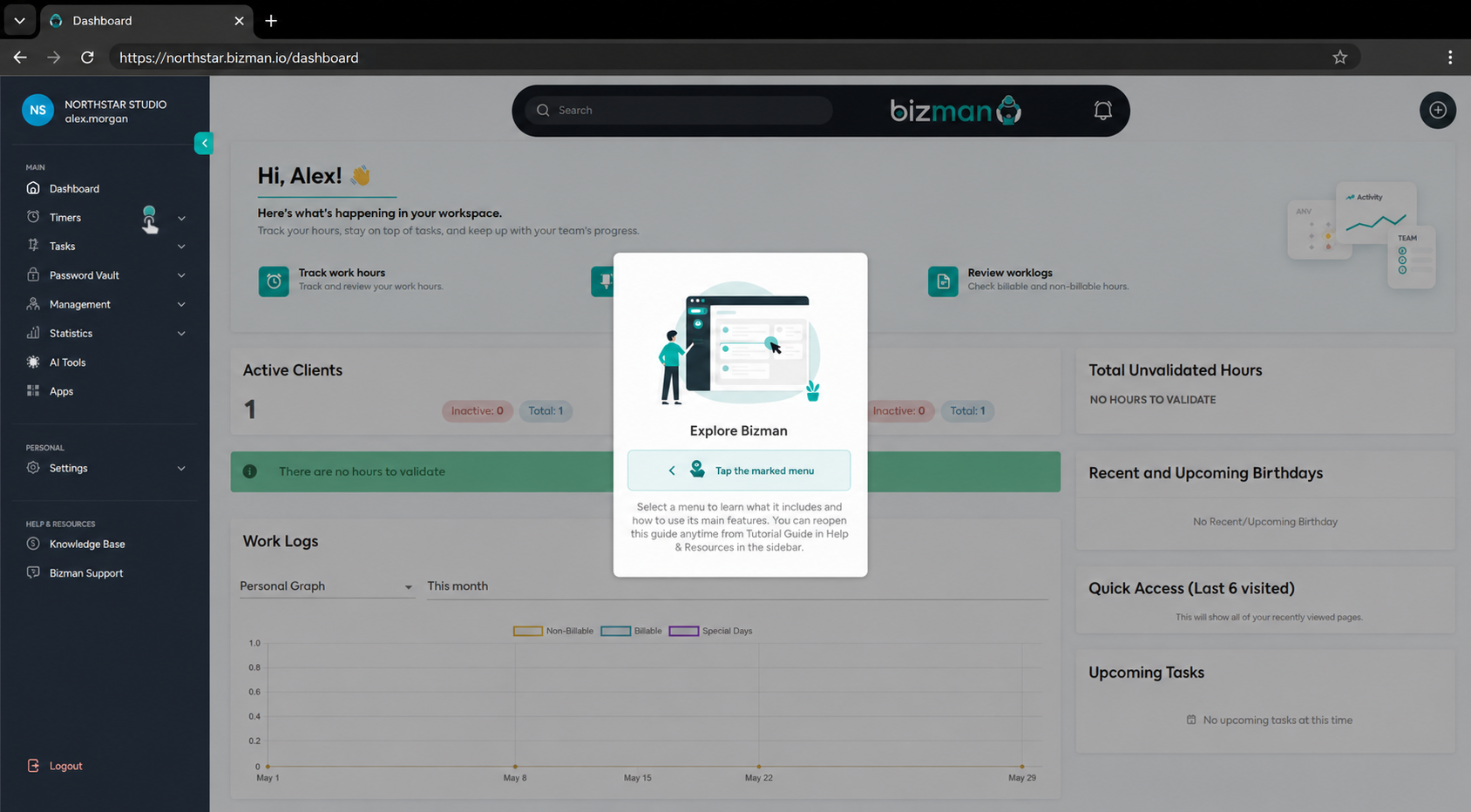
These improvements help new users understand the platform and complete important setup steps more easily.
Help & Resources
The sidebar now includes a dedicated Help & Resources section, making support and learning materials easier to find.
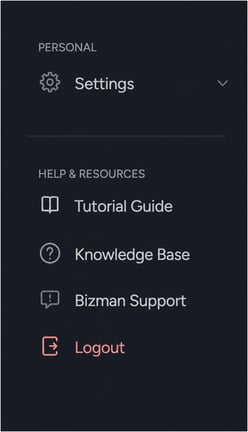
This update includes:
- Bizman Support added directly to the sidebar.
- Tutorial Guide permanently available from the sidebar.
- Knowledge Base updated with a clearer, more recognizable label.
Main Dashboard Visual Refresh
The main dashboard has received a lightweight visual update to make important information easier to review.
The refreshed layout improves clarity and creates a more welcoming experience while retaining the existing dashboard functionality and data.
Improved Welcome and Registration Email
The Bizman welcome and registration email has been redesigned to make the next step clearer for new users.
The updated email includes shorter messaging, a more prominent Complete Registration button, and a cleaner layout that helps users finish setting up their account.
Close AI Predefined Suggestions
Users can now close predefined AI suggestions when they decide not to use them. This allows users to quickly clear the suggestion and continue without completing the suggested fields.
Standardized “Show More” Behavior
The Show More option in notifications now behaves consistently, making longer notification lists easier to expand and review.
Clearer Bank of Hours Label
A Bank of Hours label has been updated to provide clearer and more consistent wording within the platform.
Permissions and Security
Improved Task Reassignment Controls
Tasks can no longer be reassigned to Project Managers who do not have the permissions required to take action on those tasks. This helps prevent inaccessible assignments and keeps task responsibilities aligned with each user’s permissions.
Task Manager Shortcut Permission Controls
Task Manager dashboard shortcuts now follow the user’s assigned permissions. Users cannot access restricted Task Manager areas through dashboard shortcuts.
Reliability and Technical Updates
Improved Tenant Provisioning
The tenant provisioning process has been updated to improve the reliability of new organization setup and background processing.
Forge API v2 Migration
Bizman’s Forge API key implementation has been reviewed and updated to support the newer v2 structure, improving compatibility and long-term platform reliability.
Bug Fixes
This release also resolves several functional issues across Bizman, including:
- Corrected an issue affecting notes in Password Manager.
- Improved the display and behavior of updated Bank of Hours labels.
- Applied additional fixes related to onboarding, permissions, and interface consistency.
-
On this page