
Bizman 2.49.0 introduces improvements to dashboard navigation, registration, onboarding, time tracking, MeetAgent, mobile usability, and interface consistency.
This release addresses several issues that could interrupt common workflows or make information difficult to access on smaller screens.
Corrected Timer Type Dropdown UI Issue
The Type dropdown used when starting a timer from a task now opens in the correct position and remains connected to its field.
The fix also addresses an issue that could occur after opening and closing the Start New Timer window before starting a timer from a task. The dropdown now displays correctly across desktop and mobile views.
Attendance Appears Only When Relevant
The dashboard Attendance section, including the attendance graph and Clock In/Out card, is now hidden when the logged-in user has no attendance records.
Attendance functionality remains available under Timers in the sidebar. If the user begins recording attendance through Clock In/Out, the Attendance section automatically appears on their dashboard.
This provides a shorter and more relevant dashboard for users who do not use attendance tracking without removing access to the feature.
Faster Access to Your Work Hours Summary
Selecting Track Work Hours from the dashboard welcome section now takes the user to Your Work Hours Summary instead of the Attendance section.
This gives the shortcut a clearer purpose and makes it easier for users to review their personal recorded hours directly from the dashboard.
More Reliable Onboarding and Service Creation
Issues affecting the onboarding and initial workspace setup process have been corrected.
The setup process no longer remains on the “Sit tight... setting things up for you” screen after the workspace has been created. Users can now complete onboarding without needing to refresh the page or being unexpectedly redirected to the login screen.
A separate issue affecting service creation has also been fixed. Users can now create a service without receiving a 422 error, and the service image is displayed correctly after the record is saved.
Resend a Registration Verification Email
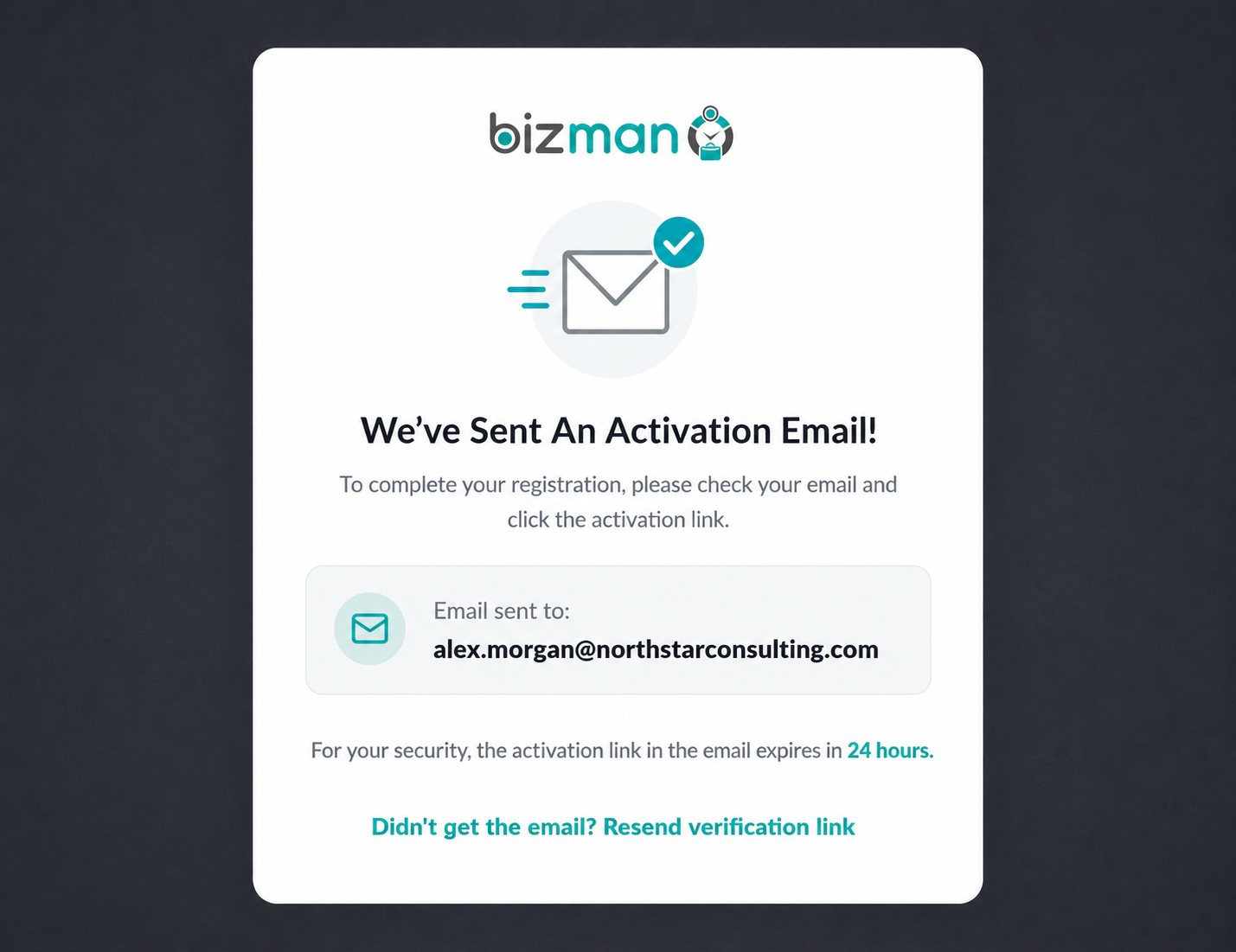
The registration confirmation message now includes a Resend Verification Link option. Users can request another verification email if the original message does not arrive or the link is no longer valid.
After a new email is sent, the resend option is temporarily disabled for 60 seconds to prevent repeated clicks. A maximum of five resend requests is allowed per email address within one hour, excluding the original verification email sent after registration.
A confirmation message lets the user know when the replacement email has been sent successfully.
Standardized Scrollbars
Scrollbars have been updated to provide a more consistent appearance and navigation experience across Bizman.
Rounded scrollbars with up and down controls are now applied to:
- Tasks Board view
- Tasks List view
- Statistics: User Daily
- Statistics: By User
The update was also reviewed across Clients, Validate Hours, Password Vault, and Import to confirm that existing scrollbar behavior remains consistent.
Improved Mobile Usability Across Bizman
A broad set of responsive layout updates has been applied to make Bizman more usable on narrow mobile screens.
Tasks and Confirmation Windows
Task details, task creation windows, and the Task Calendar now fit more effectively within smaller screens. Long client names wrap correctly, controls remain accessible, and confirmation titles and buttons are no longer clipped.
Password Manager and Validate Hours
Password Manager filters now open above surrounding controls, selected sorting options display correctly, and pagination remains visible. Description editing windows in Validate Hours also remain fully accessible on mobile devices.
Clients and Bank of Hours
Client pages now handle long labels, note titles, attachment names, and tags more effectively. Client Hours and Bank of Hours summary cards have also been adjusted so totals and billable or non-billable values remain readable.
Statistics and Reports
Statistics tables can now be scrolled horizontally without moving page controls out of view. Filters, search fields, period labels, totals, and pagination have been adjusted for mobile screens across:
- AI Usage
- Statistics by User
- Statistics by Client
- Work Hours Summary
- Billable Hours Ratio
Settings and Other Platform Areas
Search fields and action buttons now align or stack more effectively in Divisions, Services, Announcements, and Roles and Permissions. Additional improvements were applied to Import, Bizman Support, the Financial Center, Integrations, and client welcome email controls.
Corrected MeetAgent Note Display
SR PRO MeetAgent allows users to create notes from a meeting and save them directly to the selected client in Bizman.
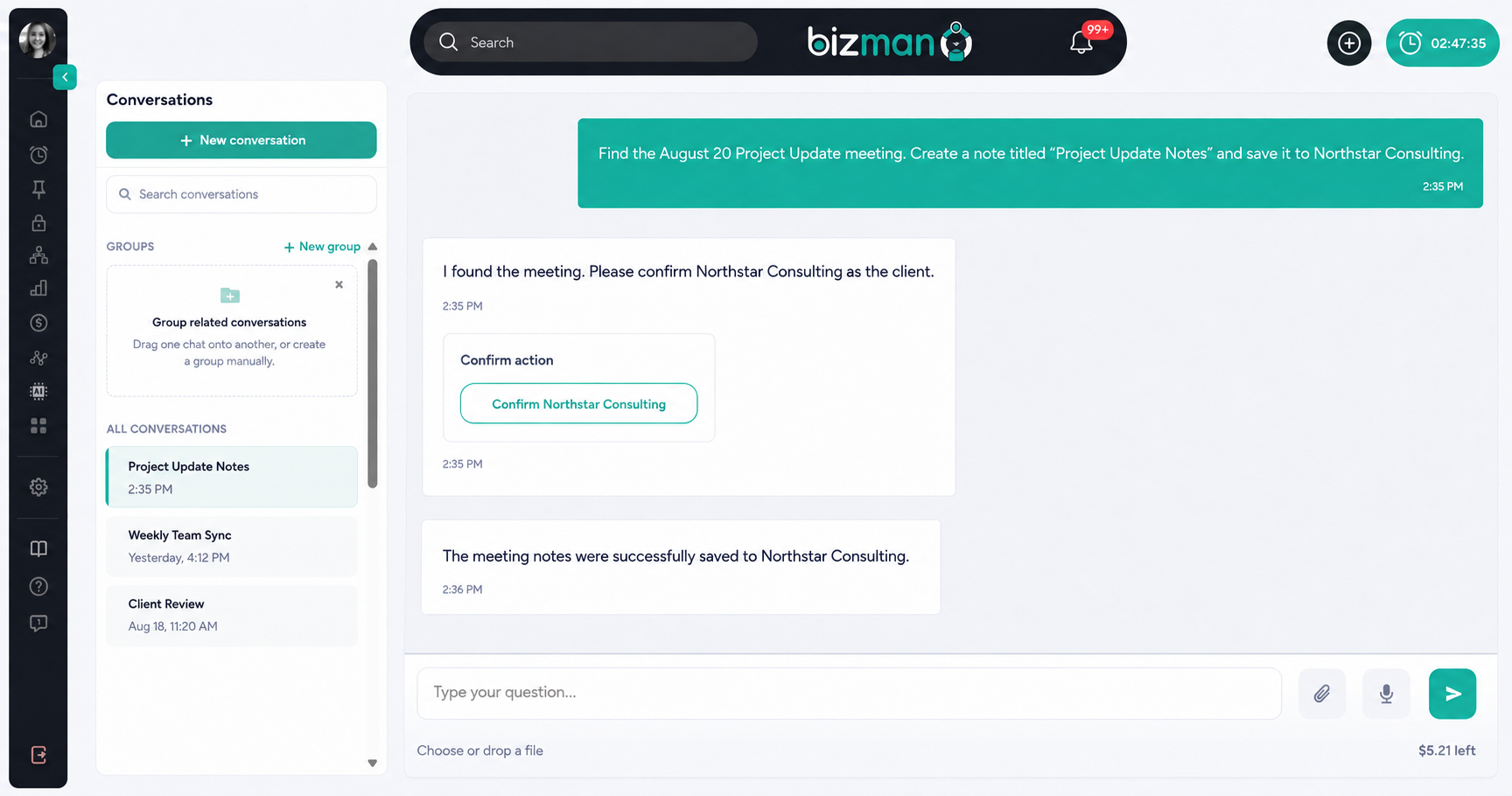
An issue affecting how these saved notes were displayed has been fixed. Meeting notes now render correctly when opened from the client record, making the generated content clear and easy to review.
A More Reliable and User-Friendly Bizman Experience
Bizman 2.49.0 brings practical improvements to everyday workflows, from registration and onboarding to dashboard navigation, time tracking, MeetAgent notes, and mobile access. These updates make the platform clearer, more consistent, and easier to use across devices.
We will continue refining Bizman based on user feedback and real business needs. If you need assistance or would like to share feedback, contact the Bizman Product team.
-
On this page