
Bizman 2.51.0 includes improvements to time tracking and worklogs, tutorial reminders, workspace setup, page performance, and automatic user deactivation and reactivation, along with several bug fixes across the platform.
Improvements
More Accurate Hour and Worklog Display
Time and worklog values now display consistently using decimal hour formatting.
Updates include:
- Hour values are displayed accurately to two decimal places across dashboards, timesheets, team member summaries, and task details.
- Estimated Hours fields accept decimal values without browser validation errors.
- Worklog calculations remain consistent when entering decimal values.
- Multi-user worklogs accumulate accurately without floating-point calculation issues.
- Activity Log duration updates are displayed using decimal hour values.
These updates provide more consistent and reliable time tracking throughout Bizman.
Improved Clients Page Performance
The Clients page has been optimized to improve loading performance.
Client listings, search, and page layouts now load more efficiently while maintaining the existing functionality and display.
Limited Tutorial Reminders
Tutorial reminders are now limited to prevent the reminder pop-up from appearing indefinitely.
When a user selects Remind Me in 1 Hour:
- The tutorial reminder can be snoozed up to three times.
- After the third reminder, the automatic pop-up stops appearing.
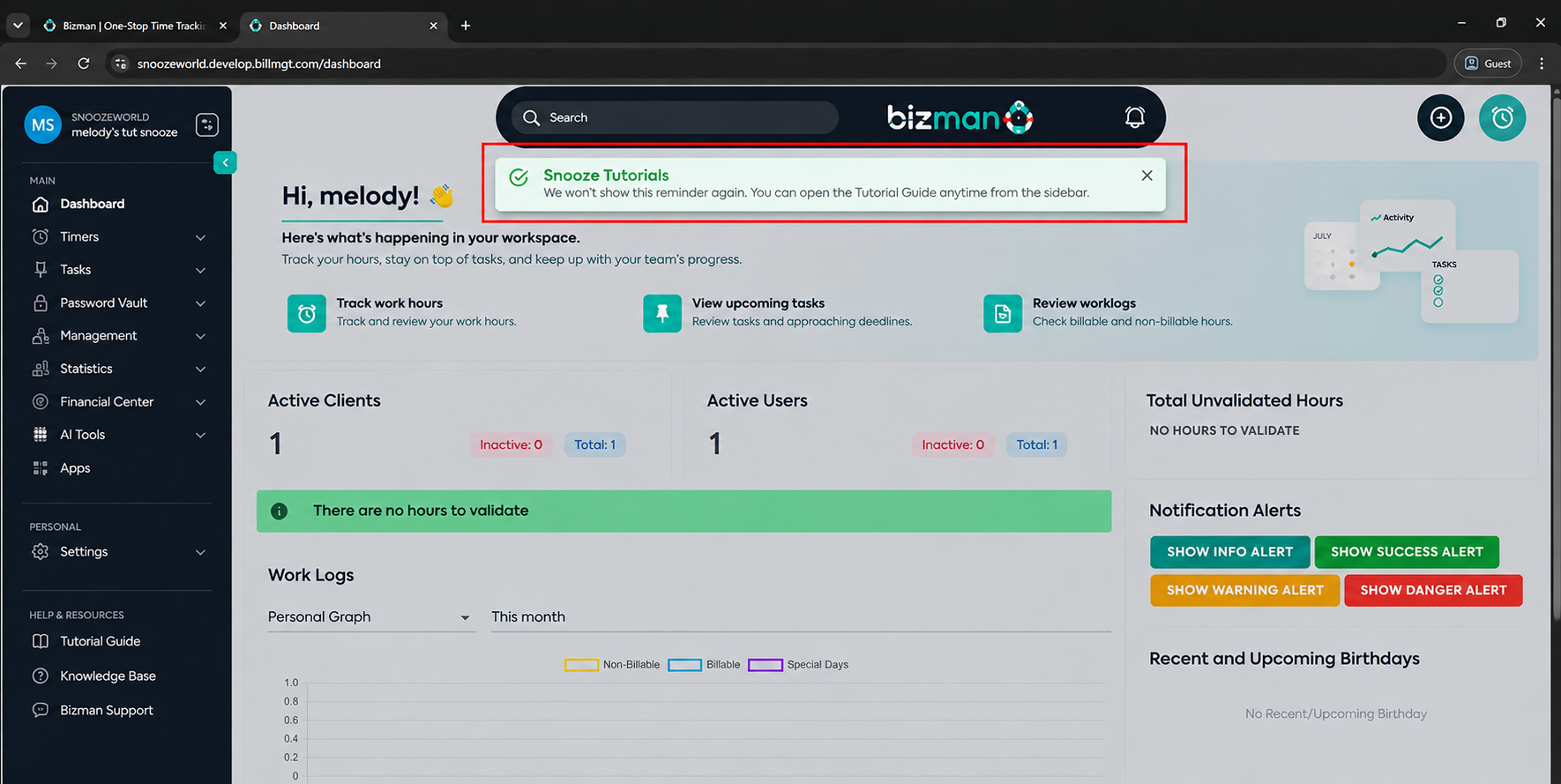
- A confirmation message informs the user that the reminder will no longer appear automatically.
- The Tutorial Guide remains available from the sidebar for users who want to access it later.
- Reminders stop when the user starts or completes the tutorial.
- Reminder status persists across page refreshes, logins, devices, and browser sessions.
Improved Workspace Creation Guidance
The workspace creation loader has been updated to provide clearer guidance while a new workspace is being prepared.
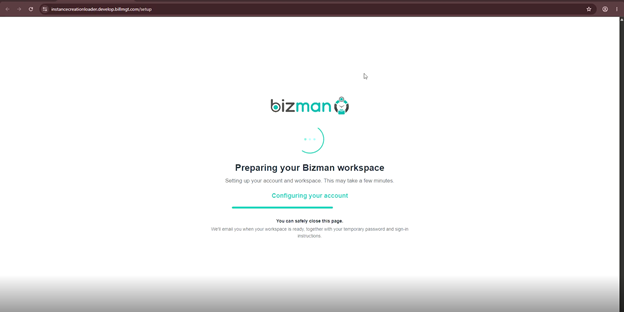
Users are now informed that workspace creation may take a few minutes and that they can safely close the page and continue through the workspace-ready email once setup is complete.
Improved Workspace-Ready Email
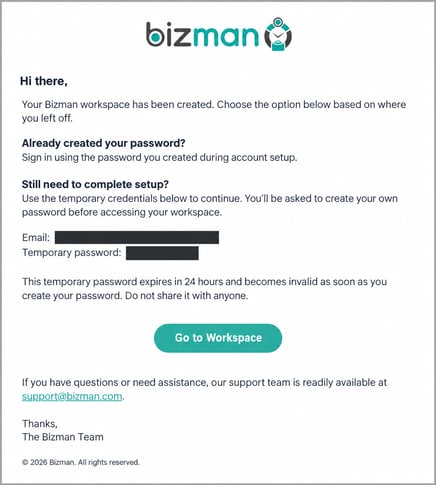
The workspace-ready email has been updated to make the next steps clearer for users who have completed or left onboarding.
The email now explains:
- Users who completed onboarding can sign in using the password they created.
- Users who left before completing setup can use the temporary password to return and finish onboarding.
- The temporary password expires after 24 hours.
- The temporary password becomes invalid once the user creates their own password.
- After the temporary password expires, the user can use Forgot Password to regain access.
- A Go to Workspace button directs users to the workspace setup.
 Improved Automatic User Deactivation and Reactivation
The automatic user deactivation process has been updated to give users more time before deactivation and provide a clearer reactivation experience.
Updates include:
- Successful logins now count as user activity and reset the inactivity period.
- The inactivity period has been extended from six weeks to three months.
- The post-reactivation grace period has been extended from 14 days to one month.
- The grace period begins when the user is successfully reactivated.
- Successful login or other qualifying activity during the grace period updates the user's latest activity date.
- Reactivated users receive a confirmation email when their access is restored.
- The confirmation email includes the workspace name and a link to log in to Bizman.
- Existing deactivation notifications continue to be sent seven days before, one day before, and on the scheduled deactivation date.
Bug Fixes
This release resolves several UI, validation, calculation, and account-management issues across Bizman.
- Fixed browser validation issues when entering decimal values in worklog hours.
- Fixed rounding and calculation inconsistencies when updating worklog hours with decimal values.
- Fixed synchronization issues between the main Hours value and the corresponding manual-hours display.
- Improved the accuracy of accumulated worklog calculations for multiple users.
- Fixed the Clients page loading issue that caused the page to load more slowly than expected.
- Fixed tutorial reminder behavior so reminders no longer continue appearing indefinitely.
- Fixed temporary workspace passwords so they expire after 24 hours and become invalid after the user creates a personal password.
- Fixed automatic deactivation activity tracking so successful logins are recognized correctly while failed login attempts do not reset inactivity.
- Fixed reactivation notification behavior so the appropriate notifications are delivered after a user's access is restored.
-
On this page